Get Unlimited Wireless Internet: Your router is a computer; in case you didn't know. Your router's central CPU, memory, and operating system are similar to those in your smartphone, tablet, or laptop. In contrast to other personal devices, routers are often left on and operating 24/7, so we put more strain on them. The only exception to this is our overworked mobile phones. Rebooting a router is similar to rebooting a PC. If you have a router, how often should you be rebooting the device?
How critical is router maintenance?
Consider your Wi-Fi router as a computer workhorse, and you'll see how important it is to keep it well-maintained to ensure that your Wi-Fi is always up and running. As with any computer, if a router is kept on for an extended period, becomes too hot, or its operating system or firmware becomes outdated, it can become flaky or unstable. It's critical to do the following things to keep your router in tip-top shape:
- Updating the firmware on your router is essential.
- Every three to five years, you should replace your router.
- To avoid overheating, keep your router away from heat sources and in a location with good air circulation.
Regularly restart your router
how many times a week should I reset my router Rebooting our smartphones and PCs has become second nature to us. What's the first thing you do if any of those gadgets stop working properly for no apparent reason? Yes, resume it now. To give your router a fresh start, perform the same action on it. When your router is older than a year or is in poor condition, you should reboot more frequently.
This is referred to as a "power cycle" in some circles. Cleaning the router's short-term memory (also known as the "cache") by rebooting it helps it work more smoothly. A better connection is ensured since the router can choose from various channels to find the least-crowded one.
How to schedule a router reset?
Rebooting your router regularly might improve your wifi's overall performance, regardless of the router model. When it gets bogged down or performs unevenly, you may only need to reboot it monthly with newer devices. In the case of dated routers or routers that appear to have a system fault, you may want to reboot them once a week or even more frequently.
Perform a hard reset
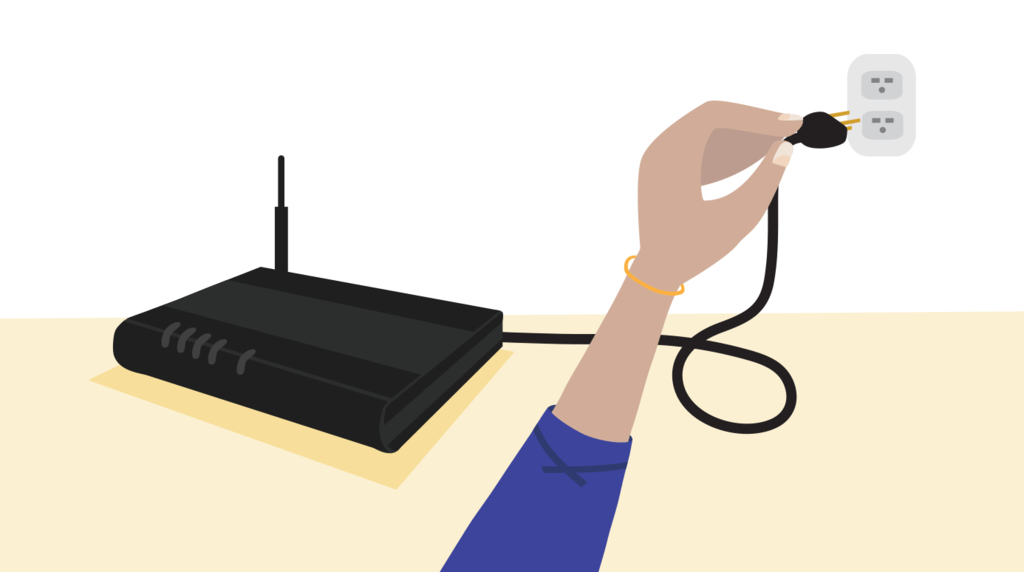
Unplug your router to restart it manually (you can remove the power cord from the wall outlet or the power port on the back of the router). Replug it after waiting a minute. After being unplugged and plugged back in, it will take a few minutes to reconnect and get fully booted and ready to go.
Remove the power cable (usually black) from the router's power port and connect it back in. This will reboot your modem/router. Modems from CenturyLink, the Greenwave C4000LG, and the Actiontec C3000A are shown below (right).
To do this regularly, set the alarm or put it in your calendar every two weeks, month, or whatever interval works for you. The manual reboot option will work perfectly as long as you don't have to do it regularly. It can add benefits to encourage you to move your router to a more accessible location, which improves wifi performance.
Make use of the companion app for your modem
It's possible to reset your CenturyLink modem anywhere in the house or country if you have a My CenturyLink app connected to your CenturyLink router. It's also possible to program it to restart at a later date. It's easy to automate this by starting with a reboot in the app and then scheduling another for as soon as it's finished. Schedule the next reboot, so you don't forget each time it occurs.
Set a timer for an electrical outlet
Alternatively, you can use a plug timer to reboot your router at predetermined intervals. Christmas light timers and other non-digital models have lower wattage ratings. Low-wattage options may be sufficient if all you need to do is manage the router. To be on the safe side, always use a grounded 3-prong plug.
Today, most plug timers are digital and can manage large appliances like refrigerators and washing machines. If you have a single internet router, you don't need this much power, but you can use it to reboot your router, smart home hub, and other devices all at once if you do.
Use a smart Plug
The ultimate in flexibility and convenience is provided by a smart plug that connects to your wireless network. Remote controls and smartphone apps allow you to activate the pin from anywhere in the house and set up a personalized schedule for these devices every two weeks, every week, every three days, or whatever works best for you. And if something comes up, you may easily adjust your schedule thanks to an app. Have a late-night binge-watching party planned when your router would normally reboot? You can usually skip or reschedule that occurrence with a connected app.
What to Look for in a Timer?
Even though outlet timers have been around for a long time, that doesn't mean that any old-timer will do in this case. Consider the following features before you dig up an old outlet timer from your garage to use in a box.
Use a timer with a solid base
A grounded (three-pronged) timer is always a good idea when in doubt. A year from now, your gadget may not have a ground pin, but the one you reboot today will (many newer and more powerful routers include a beefier power supply and an electrical ground).
A higher power rating is preferable.
A lamp timer may work OK with your router if it doesn't draw a lot of power, but it's a good idea to invest in a beefier router timer that can securely manage greater control. Because they are typically rated at 1800 watts, appliance-grade timers shine here.
This type of timer is not only more durable, with better connections and safety features, but you can also use it to reset several devices at once by connecting a power strip to it. The smart home hub and router can all be restarted at the same time using an outlet timer. With a good power strip and a high-quality grounded outlet timer, you'll have a lot of possibilities. A power strip with surge protection on the input or output side of the timer is critical because appliance timers rarely have built-in surge protection.)
Go digital for more flexibility
Consider going digital for greater convenience and smart for greater control through a remote. Time is set with a mechanical tab system, and time is kept with a motorized wheel mechanism in older outlet timers; this may be heard spinning when they're plugged in. This mechanical timer has two disadvantages in the long run: it has limited control (only 15, 30, or 60-minute blocks). If the power fails, the mechanism ceases to function (throwing the timing off when the power comes back on).